7a0 Multiplayer

Pick your tournament2 modes · online
Join with a code
7a0 multiplayer guide

7a0 multiplayer for quick online drafts, watch parties, and friend groups

7a0 multiplayer fits the way people actually share browser games: a Discord link, a group chat during a match, or a quick challenge after someone claims they know World Cup squads better than everyone else. Players join with a code, choose a formation and style, mark ready, and build separate XIs in turn order. On each turn, the active player draws a nation and World Cup year, then claims one valid footballer who becomes unavailable to everyone else.

The 7a0 multiplayer room stays light on purpose. No account wall, no long setup screen, no league calendar. The host picks Cup Final or Full Cup, chooses the turn indicator, shares the invite link, and starts once players are ready. Rooms last four hours, which is plenty for a game night and short enough that old codes do not hang around forever.

The two multiplayer modes

Cup Final

Cup Final is the fast head-to-head mode for two people. Each player builds a separate XI in the same turn-based room, confirms the lineup, and goes into one decisive simulated match. Balance beats name value here, because one weak full back or keeper can ruin a famous attack.

Full Cup

Full Cup is the 7a0 multiplayer bracket mode for a longer session. It supports 4, 8, or 16 teams, and CPU entries can fill the empty slots when the group is small. Pick this when you want more than one result: upsets, rematches, a dangerous CPU seed, and a champion that had to survive the bracket.

How to create and play a room

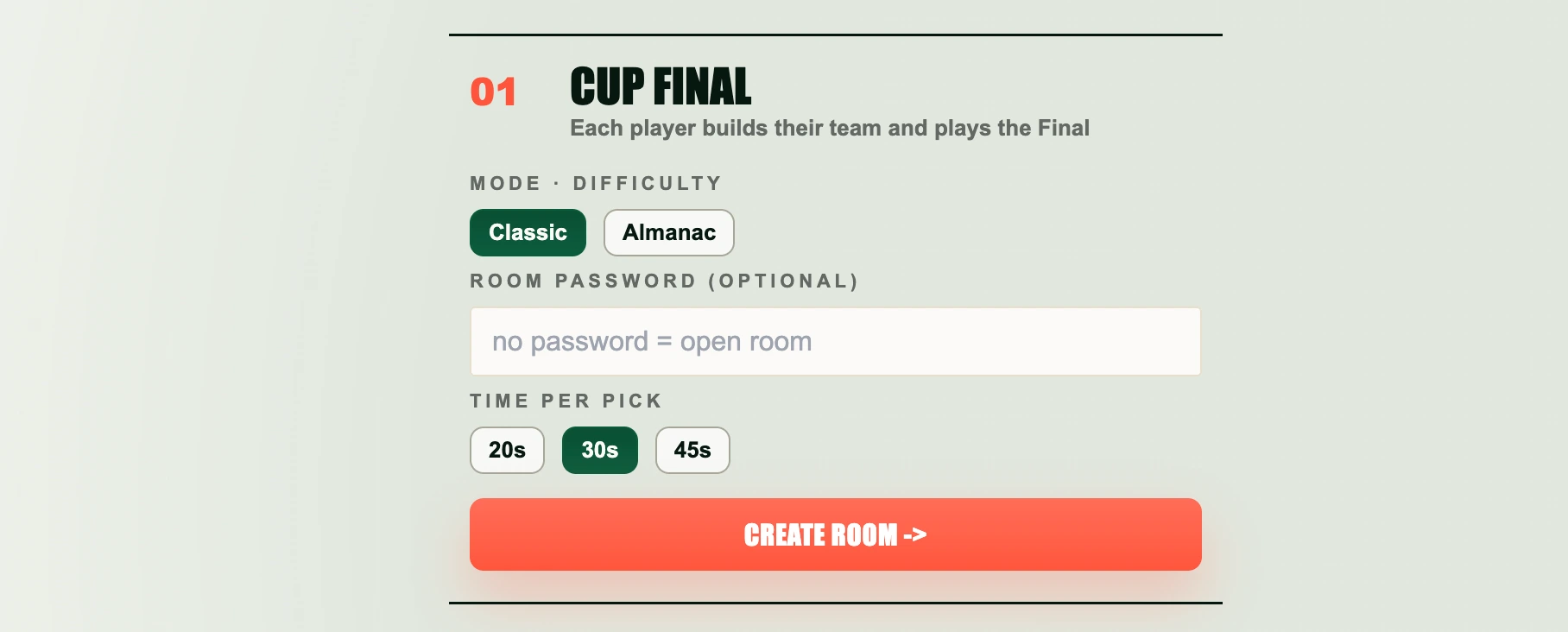
  1. Pick Cup Final for one match or Full Cup for a bracket.
  2. Choose Classic mode for clearer player information or Almanac mode for a memory-first draft.
  3. For Full Cup, select 4, 8, or 16 teams depending on how much time the group has.
  4. Use an optional password when the room should stay private.
  5. Choose a 20, 30, or 45-second turn indicator to set the room's pace. It is a visual guide and does not auto-pick or skip the active player when it ends.
  6. Create the 7a0 multiplayer room, copy the link, or share the code with friends.
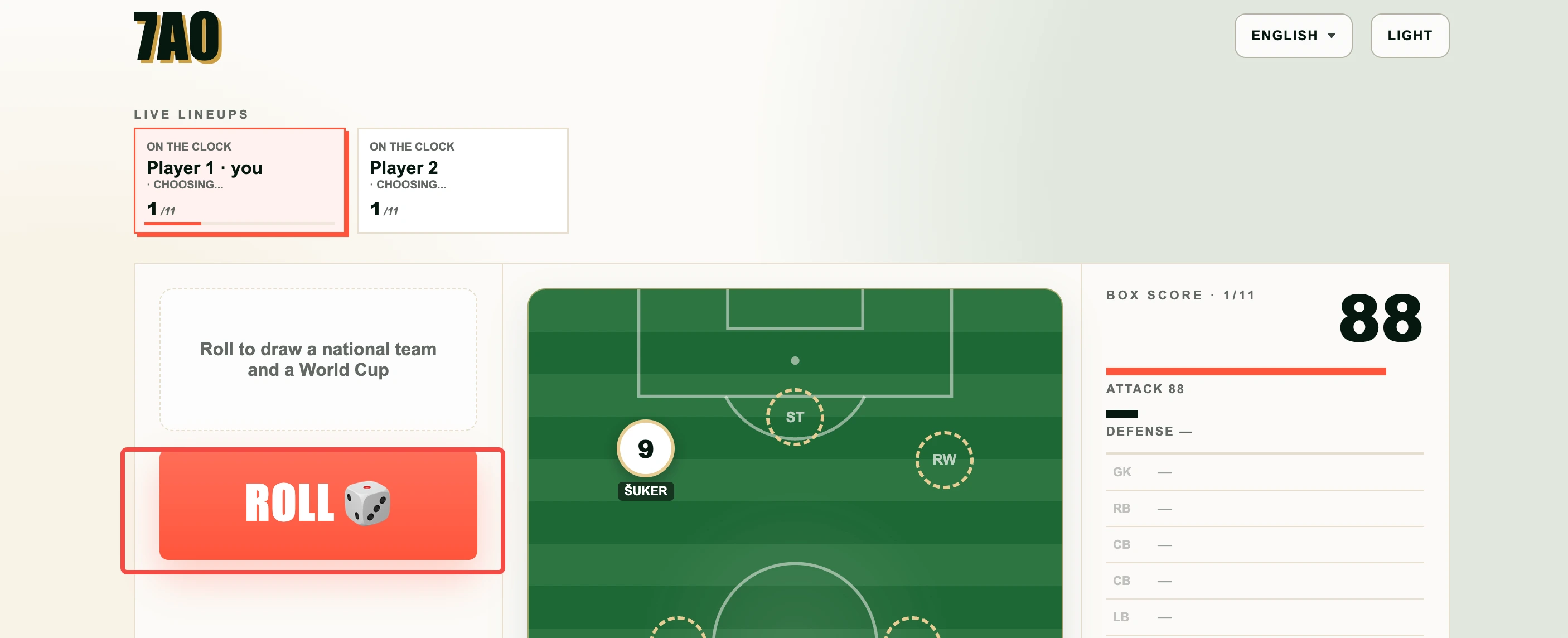
  7. Once at least two players are ready, the host starts. Only the active player can draw and pick, and footballers already claimed by another lineup are locked.
  8. After every XI fills all eleven slots and is confirmed, the simulation uses those squads to calculate the final or complete bracket, including scores, campaigns, and the champion.
7a0 multiplayer setup screen for creating a Cup Final or Full Cup room
Step 1Room setupThe setup screen keeps the mode, password, bracket size, and turn indicator together before the room opens.
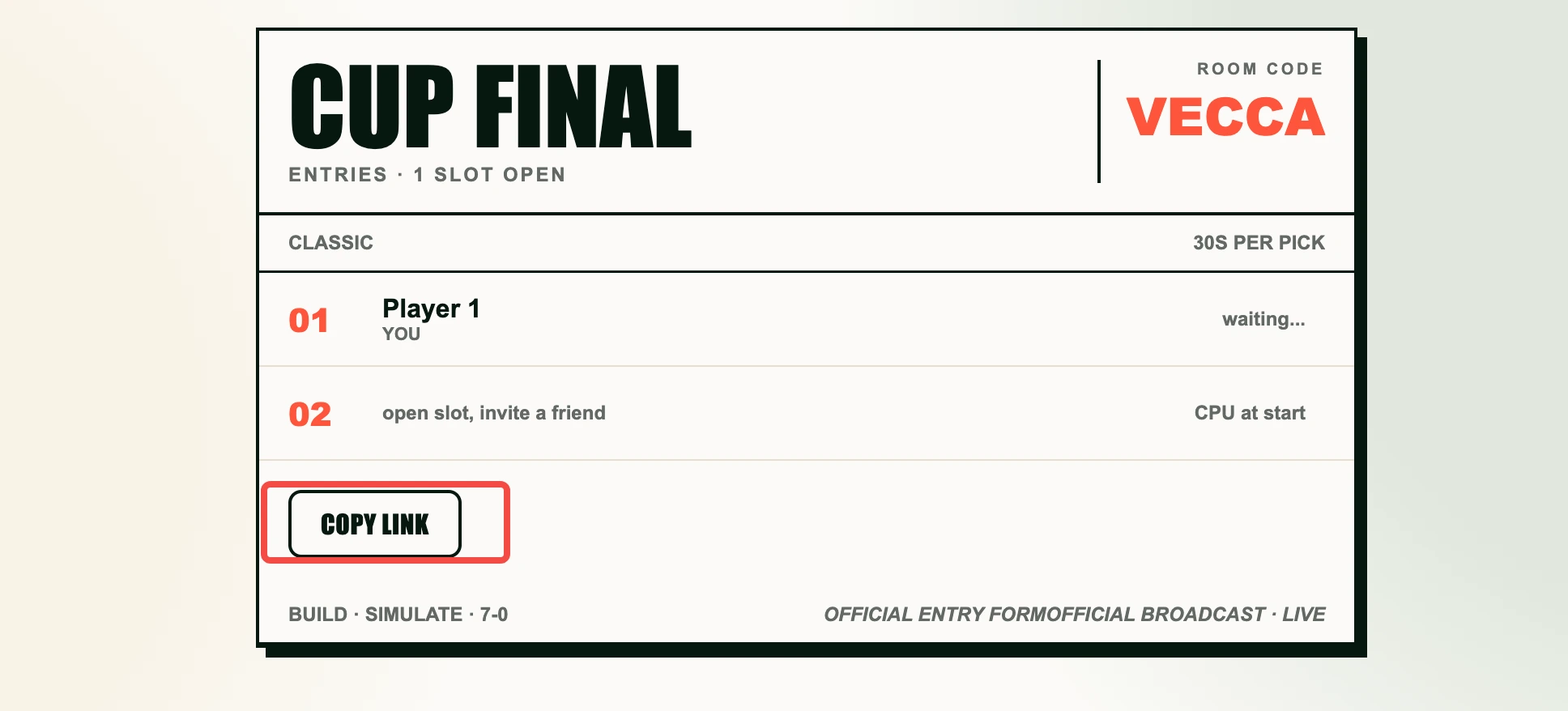
7a0 multiplayer lobby showing the room code, player list, and ready status
Step 2Invite flowThe lobby keeps the room code, player list, ready status, and copy-link action in view.
Live 7a0 multiplayer draft with a World Cup squad and player selection interface
Step 3Live draftThe live draft shows the active turn, drawn World Cup squad, and player selection interface.

Strategy for 7a0 multiplayer

The common mistake is drafting like a sticker album. 7a0 rewards structure. In Cup Final, grab the goalkeeper, centre backs, full backs, and midfield spine before spending every pick on attackers. In Full Cup, the same idea matters even more because one weak slot can punish you across several rounds.

A footballer claimed by one player is unavailable to every other lineup, so scarce goalkeepers, centre backs, and full backs are worth securing early. The 20, 30, or 45-second indicator helps the group keep pace, but it does not force an automatic pick. Almanac mode hides ratings and shirt numbers; Classic mode keeps that information visible.

For a first group session, start with Cup Final and use the 30-second turn indicator as a shared pace. After one final, move to Full Cup with eight teams. Eight is a good size for most groups: quarter-finals, semi-finals, and a final without making the session feel endless. If there are only two or three human players, CPU entries fill the remaining bracket slots when the host starts.

Good hosts explain the 7a0 multiplayer rhythm before pressing start: join the room, mark ready, wait for your turn, draw a nation and year, pick one valid player, and confirm the final XI when all positions are filled. That short explanation avoids most confusion. Players do not need to know every World Cup squad in advance. Classic mode gives enough information to make sensible choices; Almanac mode is for friends who enjoy arguing about eras, shirt numbers, and half-remembered tournament heroes.
Quick multiplayer questions

Do I need an account?

No. Join with a room code or invite link on mobile or desktop.

Which mode should I try first?

Cup Final is best for learning. Full Cup is best when the group wants a tournament.

Can a small group play?

Yes. At least two ready people are required. In Full Cup, CPU entries fill empty bracket slots when the host starts; Cup Final is for two human players.

How long does a room stay open?

Rooms last four hours, enough for a normal draft session and short enough to keep old links from hanging around forever.

What should I share with friends?

Share the invite link when possible. If a chat app breaks the link, send the room code and ask players to use the Join with a code box.